

Start by locking a clear cleanup period and reconciling cash first. That single decision makes every step that follows practical, verifiable, and far less likely to require redoing. Before you touch a single transaction, though, take some time to do these five things:
- Export your Profit & Loss, Balance Sheet, and Trial Balance reports as PDFs. These are your before-state snapshots.
- Set a closing date in QuickBooks Online (or your accounting software) to protect any period you consider reliable.
- Identify the oldest month with a missing or failed bank reconciliation. That is your starting point.
- Pull every bank and credit card statement for the cleanup period.
- Write down the cleanup scope: which accounts, which date range, and what the target standard is (tax-ready vs. management-reporting quality).
That guardrail—export first and set a closing date—is the single most important thing a practitioner who has cleaned 200+ QuickBooks files recommends before making any edits. Changes become reversible. Evidence stays intact.
Key Takeaways
A bookkeeping cleanup done in the right sequence, cash first, then A/R and A/P, then revenue and expense, produces accurate, defensible books that hold up to lender, investor, and tax-authority scrutiny.
| Point | Details |
|---|---|
| Reconcile cash first | Start with the oldest unreconciled bank month and work forward before touching any other account. |
| Export before you edit | Pull P&L, Balance Sheet, and Trial Balance as PDFs and set a closing date before making any changes. |
| Fix the COA before transactions | Merge, rename, and inactivate bad accounts first so every transaction lands in the right place. |
| Flag tax discrepancies early | Sales-tax and payroll-tax mismatches need a CPA review before any amended filing, not after. |
| Carlislebookkeeping for done-for-you cleanup | Carlislebookkeeping delivers reconciled accounts, a cleanup report, and a next-step checklist for small businesses in Southern California. |
Table of Contents
- What does a bookkeeping cleanup actually involve?
- Step 0: How to scope the mess before you start
- Step 1: Collect every record before you touch the books
- Step 2: Reconcile bank accounts oldest-to-newest
- Step 3: Fix transaction categories and the Chart of Accounts
- Step 4: Tie accounts receivable and accounts payable to the balance sheet
- Step 5: Reconcile credit cards, loans, and suspense accounts
- Step 6: Fix payroll liabilities, inventory, and fixed assets
- Step 7: Sales tax, payroll tax, 1099s, and year-end readiness
- Step 8: Tools that speed up a cleanup
- What does a bookkeeping cleanup cost and how long does it take?
- When should you hire a bookkeeper to clean up your books?
- How Carlislebookkeeping runs a bookkeeping cleanup
- Use this bookkeeping cleanup checklist to track your progress
- How to correct previous bookkeeping errors
- Data backup and security during a cleanup
- Legal risks of inaccurate bookkeeping
- What causes messy books and how to spot the warning signs
- How to keep your books clean after the cleanup
- Why sequence and documentation are what actually matter
- Carlislebookkeeping handles the cleanup so you can get back to business
- Sources
What does a bookkeeping cleanup actually involve?
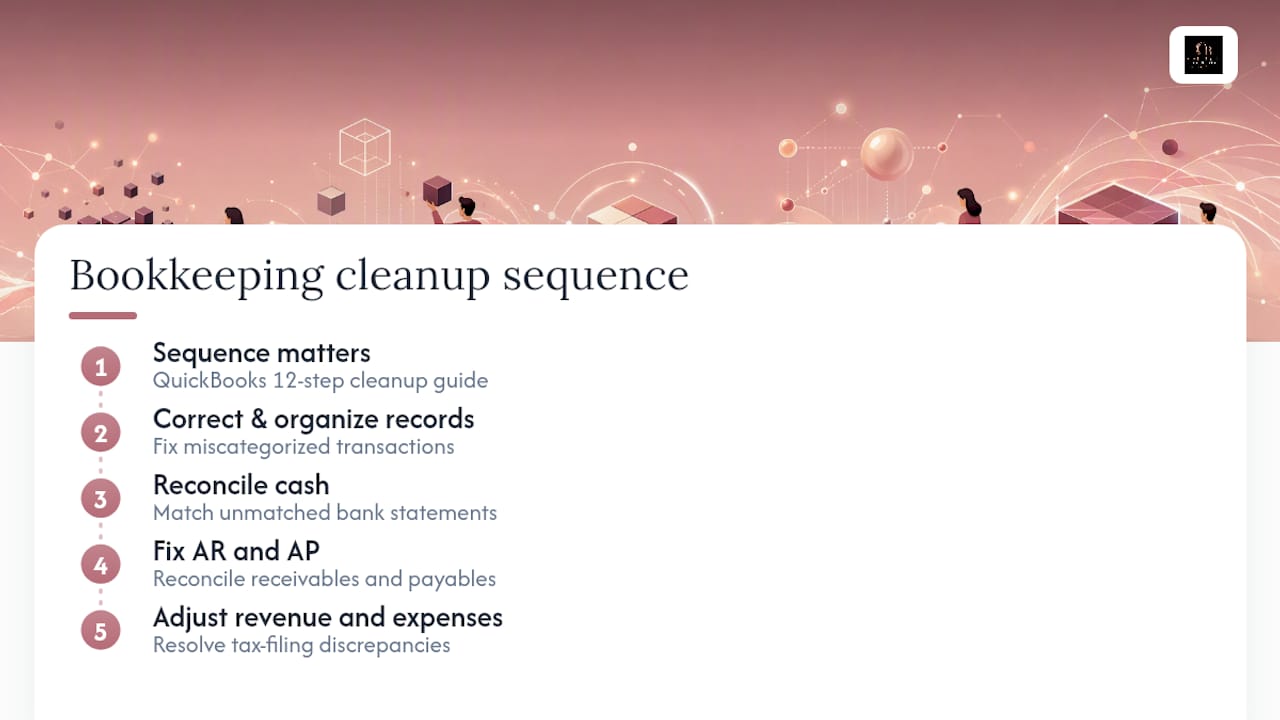
A bookkeeping cleanup, sometimes called a financial record cleanup or catch-up, is the process of correcting, organizing, and reconciling a set of books that have fallen behind or accumulated errors. The industry term for the formal version is a "cleanup engagement," and it covers everything from fixing miscategorized transactions to reconciling months of unmatched bank statements and resolving tax-filing discrepancies.
The QuickBooks 12-step cleanup guide frames the process as a sequence, not a checklist you can complete in any order. Sequence matters because fixing revenue accounts before you reconcile cash means you may redo that work when the cash balance shifts. The standard is a balance-sheet-first triage: reconcile cash, then fix accounts receivable and accounts payable, then adjust revenue and expense.
Step 0: How to scope the mess before you start
Before any reconciliation work begins, spend an hour on a pre-cleanup audit. This is where you decide how big the job is, who should do it, and what "done" looks like.
Define the cleanup period and target standard. Is this a tax-basis cleanup (every account must tie to filed returns) or a management-reporting cleanup (reasonable accuracy for decision-making)? Tax-basis work takes longer and requires more documentation.
Run through these triage questions to classify severity:
- How many months have unreconciled bank accounts?
- Are there duplicate bank feeds or imported transactions that doubled up?
- Does the Undeposited Funds account carry a permanent balance?
- Are payroll liabilities on the balance sheet reconciled to payroll reports?
- Are there sales-tax or payroll-tax discrepancies that could trigger penalties?
- Does the Chart of Accounts have dozens of near-duplicate accounts?
One or two "yes" answers suggest a manageable DIY job over a weekend. Three or more, especially payroll or tax exposure, is a strong signal to bring in a professional. Common failure patterns like permanent Undeposited Funds balances and duplicate feeds are fixable, but they require knowing which transaction to delete and which to keep, and getting that wrong creates a new mess.
Pro Tip: Estimate cleanup hours by multiplying the number of unreconciled months by the average monthly transaction volume. A business with 200 transactions per month and six unreconciled months should budget 12–20 hours minimum for a competent bookkeeper, more if payroll or inventory is involved.
Step 1: Collect every record before you touch the books
A cleanup without source documents is guesswork. Gather these before opening the ledger:
- Bank statements for every account, for every month in the cleanup period.
- Credit card statements for every card used in the business.
- Merchant processor reports (Stripe, Square, PayPal) showing gross payouts and fees.
- Loan amortization schedules for every outstanding loan.
- Payroll reports: payroll registers, tax filings (941s, state returns), and W-2/1099 summaries.
- Sales-tax returns filed during the period.
- The most recent filed business tax return.
- Vendor invoices and customer invoices for any disputed or large transactions.
For missing statements, most banks provide up to 7 years of statements through their online portal. Merchant processors like Stripe and Square offer CSV exports of all transactions. Request these exports early because some processors take 3–5 business days to generate large date-range files.
Store everything in a cleanup folder organized by account and month: Cleanup_2024 > BankOfAmerica_Checking > 2024-01_Statement.pdf. That naming convention makes it easy to match each reconciled period to its source document later. A pre-hiring prep checklist from Mercury recommends organizing income and expense records and categorizing uncategorized transactions before a bookkeeper even touches the file, which cuts billable hours significantly.
Step 2: Reconcile bank accounts oldest-to-newest
Start at the last month with a confirmed, matching reconciliation and work forward one month at a time. Never skip a month and never force a reconciliation by posting a plug entry. A forced reconciliation hides the error instead of fixing it.

Common reconciliation blockers and their fixes
Duplicate transactions: Usually caused by importing a bank feed and also manually entering the same transaction. Delete the duplicate, not the original. Check the audit log to confirm which entry came first.
Misdated transactions: A payment entered in the wrong month shifts the reconciliation balance. Correct the date and re-run the reconciliation for the affected period.
Uncleared deposits: Old deposits sitting as "outstanding" in the reconciliation are often duplicates or voided checks that were never marked void. Investigate each one before clearing or deleting.
Bank fees not recorded: Add them directly to the reconciliation period they appear on the statement. Use the bank's fee category, not a miscellaneous expense account.
Transfers recorded as expenses: A transfer between two business accounts that was categorized as an expense doubles your expense total. Reclassify as a transfer and match the corresponding deposit.
Every correcting entry needs a memo explaining what was changed and why. That documentation is what separates a defensible cleanup from one that creates audit risk.
Pro Tip: After reconciling each month, export the reconciliation report as a PDF immediately. QuickBooks Online does not store reconciliation reports indefinitely, and having them on file is critical if a tax authority ever questions a period.
Step 3: Fix transaction categories and the Chart of Accounts
Fix the Chart of Accounts before you touch individual transactions. The COA is the skeleton. If the skeleton is wrong, every transaction you categorize correctly today will still land in the wrong place.
Here is the right order:
- Identify duplicate or near-duplicate accounts (e.g., "Office Supplies," "Office Supply," "Supplies-Office"). Merge them into one canonical account.
- Rename vague accounts like "Other Expense" to something specific, or inactivate them entirely.
- Inactivate any account that has had zero activity for 12+ months and is not required for tax reporting.
- Move accounts that are in the wrong category (e.g., a loan account sitting under expenses instead of liabilities).
Once the COA is clean, batch-categorize transactions by vendor or payment processor. In QuickBooks Online, you can filter the transaction list by payee and reclassify an entire vendor's history in a few clicks. Bank rules automate this going forward, but apply them after the cleanup period, not during it, to avoid mass-reclassifying transactions you have already reviewed.
Uncategorized income and uncategorized expense are the two accounts that signal unfinished work. Clear them to zero before considering any period closed. Owner draws belong in an equity account (Owner's Draw or Distributions), not in expenses. Opening Balance Equity should also be zero after setup; a lingering balance there usually means accounts were set up with incorrect opening balances that need to be traced and corrected.
Step 4: Tie accounts receivable and accounts payable to the balance sheet
Before adjusting any revenue or expense account, confirm that your A/R and A/P subledgers match the control accounts on the balance sheet. If the A/R aging report total does not equal the Accounts Receivable balance on the balance sheet, you have a subledger-to-GL mismatch, and revenue figures cannot be trusted until it is resolved.
| Item | Proof Required | Corrective Action |
|---|---|---|
| A/R aging total matches balance sheet | A/R aging report vs. balance sheet | Investigate and clear unapplied payments or credits |
| Unapplied customer payments | Open credits on customer accounts | Apply to oldest open invoice or issue a refund |
| Stale open invoices (90+ days) | Aging report, customer communication | Write off with documentation or reclassify |
| A/P aging total matches balance sheet | A/P aging report vs. balance sheet | Investigate duplicate bills or unapplied vendor credits |
| Open vendor credits | Vendor statements | Apply to next bill or request a refund |
Stale invoices older than 90 days that are genuinely uncollectable should be written off with a note in the memo field explaining the business decision. Do not simply delete them; deletion removes the audit trail.
Step 5: Reconcile credit cards, loans, and suspense accounts
Credit card reconciliation follows the same month-by-month, oldest-to-newest approach as bank reconciliation. Match each statement's ending balance to the ledger balance for that period. Pay particular attention to the payment entries: a credit card payment should appear as a bank withdrawal in the checking account and a payment in the credit card account. If it was recorded as an expense, you have a double-count.
Merchant processors
Stripe, Square, and similar processors typically deposit net amounts (gross sales minus fees) into your bank account. The correct workflow is gross sales to a clearing account, fees as an expense from that clearing account, and the net deposit clearing the clearing account to zero. If your books show only the net deposit as income, your revenue is understated and your fee expense is missing.
Loan accounts
Pull the lender's amortization schedule and compare it to your loan liability balance on the balance sheet for each period. Every payment has a principal portion (reduces the liability) and an interest portion (goes to interest expense). If the full payment was posted to the liability account, interest expense is understated. Correct each period's split using the amortization schedule as the source document.
Pro Tip: Undeposited Funds is one of the most common permanent-balance problems in QuickBooks. It should clear to zero at the end of every period. If it carries a balance, you have payments received but not yet deposited or matched to a bank deposit. Work through each item individually; do not post a journal entry to force it to zero.
Step 6: Fix payroll liabilities, inventory, and fixed assets
Payroll
Reconcile payroll liability accounts (federal withholding, state withholding, Social Security, Medicare, FUTA, SUTA) to your payroll reports and tax filings before touching any wage accounts. If the liability balance on the balance sheet does not match what the payroll processor shows as outstanding, the discrepancy is either a missed deposit or a recording error. Correct the liability accounts first, then verify that gross wages on the P&L match the payroll register totals.
Inventory
- Conduct a physical count and record the count date.
- Confirm the valuation method (FIFO, weighted average, or specific identification) matches what was used in prior periods and on the tax return.
- Compare the physical count value to the inventory asset balance on the balance sheet.
- Post an inventory adjustment for any difference, with the count sheet as the supporting document.
Fixed assets
Check the asset register against the balance sheet. Every asset on the register should have a corresponding entry in the fixed-asset account. Apply depreciation using the method and useful life from the prior tax return. If assets were expensed in full in the year of purchase under Section 179 or bonus depreciation, confirm that treatment matches the filed return before changing anything.
Step 7: Sales tax, payroll tax, 1099s, and year-end readiness
Tax compliance is where cleanup errors become legal exposure. Work through these checks in order:
- Compare sales-tax remittances recorded in the ledger to the returns actually filed with each state. Discrepancies mean either a missed payment or a payment that was not recorded.
- Confirm payroll tax deposits (941 payments, state deposits) appear in the ledger and match the amounts on filed returns.
- Pull a vendor payment report for the calendar year and identify any vendor paid $600 or more who received a 1099-NEC. Verify that the amounts on the 1099s match the ledger.
- Produce a reconciled balance sheet, trial balance, and general ledger export for the cleanup period. These are the minimum deliverables for year-end readiness.
Pro Tip: If you find a sales-tax or payroll-tax discrepancy you cannot explain, flag it for a CPA or tax professional before filing anything. Amending a return is far less costly than an audit triggered by a mismatch between your books and what was filed.
Step 8: Tools that speed up a cleanup
QuickBooks Online is the most common platform for small-business cleanups, and a few built-in features make the work faster and safer:
- Audit log: Every change is timestamped and attributed to a user. Review it before starting to understand what was changed recently and by whom.
- Closing date and password: Set this immediately after exporting your before-state reports. It prevents accidental edits to reconciled periods.
- Bank rules: Useful for ongoing categorization, but disable or pause them during the cleanup so they do not auto-categorize transactions you are actively reviewing.
- Reclassify Transactions tool (Accountant view): Lets you batch-reclassify transactions by account or class without opening each one individually.
- Reconciliation reports: Export after every completed month. Store as PDFs in your cleanup folder.
Supporting tools worth considering: Hubdoc or Dext for receipt capture and document matching, A2X for e-commerce and Shopify/Amazon settlement reconciliation, and Bill.com or BILL for A/P workflow if the backlog includes a large volume of vendor bills. Adopt any new tool after the cleanup period is closed, not during it. Introducing a new feed or integration mid-cleanup is one of the fastest ways to create duplicate transactions.
What does a bookkeeping cleanup cost and how long does it take?
Pricing and timeline depend almost entirely on how far behind the books are and how complex the business is.
Hourly rates for experienced bookkeepers in the US vary depending on complexity and location. Project-based pricing provides fixed scope and predictable cost; hourly pricing suits unknown scopes. Fixed packages are best when hours are estimated accurately after file review.
Timeline in practice: a 3-month cleanup for a straightforward service business can be completed in a week. A 12-month cleanup with payroll, inventory, and multiple processors often takes 4–6 weeks, even with a dedicated bookkeeper.
When should you hire a bookkeeper to clean up your books?
Some cleanups are genuinely DIY-able. Others are not. These are the red flags that indicate you need professional help:
- Reconciliations are missing for 6 or more months.
- Payroll liabilities on the balance sheet do not match payroll reports.
- Sales-tax or payroll-tax filings may be incorrect.
- The business has multiple entities, locations, or processors.
- A lender, investor, or buyer has requested audited or reviewed financials.
- You have received an IRS or state notice related to a period covered by the cleanup.
When hiring a cleanup bookkeeper, ask these questions before signing anything:
- What specific deliverables will I receive at the end of the engagement?
- How do you document each correcting entry?
- Who reviews and signs off on the final reconciliations?
- What is your backup and data-security policy?
- What happens if you find a tax issue that requires a CPA?
On delivery, run a short acceptance check: confirm the balance sheet balances, verify that every bank account reconciles to its statement, and confirm that A/R and A/P aging totals match the balance sheet. A firm-focused analysis of cleanup engagements notes that client-screening and clear scope agreements are what separate profitable, well-executed cleanups from ones that drag on and create disputes.
How Carlislebookkeeping runs a bookkeeping cleanup
Carlislebookkeeping's cleanup process follows a structured sequence designed to produce defensible, tax-ready books without surprises at handover.
Phase 1: Diagnostic. The engagement starts with a file review: Carlislebookkeeping assesses the reconciliation gaps, COA condition, payroll liability status, and any open tax issues. This produces a written scope document with estimated hours and a clear list of deliverables.
Phase 2: Stabilize. Bank feeds are reviewed and cleaned. Duplicate feeds are removed. The COA is merged and renamed before any transaction work begins.
Phase 3: Reconcile. Bank and credit card accounts are reconciled month-by-month, oldest to newest. Each completed period is documented with a reconciliation report.
Phase 4: Tie-outs. A/R and A/P subledgers are tied to the balance sheet. Payroll liabilities are reconciled to payroll reports. Loan balances are matched to amortization schedules.
Phase 5: Documentation and handover. The client receives a reconciled balance sheet, trial balance, GL export, a written cleanup report summarizing every correcting entry, and a next-step checklist for maintaining clean books going forward.
Pro Tip: Ask any cleanup bookkeeper for a written cleanup report at handover. It should list every journal entry made, the reason for each, and the source document that supports it. Without that report, you cannot explain your books to a lender, investor, or tax authority.
Use this bookkeeping cleanup checklist to track your progress
A printable checklist keeps the cleanup from stalling and gives you a clear record of what has been completed. The QuickBooks downloadable cleanup checklist is a solid starting point; Carlislebookkeeping's resource center also offers templates tailored to small-business cleanups.
Use the checklist as a project tracker with sign-off checkpoints:
- Triage complete: Cleanup period defined, before-state reports exported, closing date set.
- Documents collected: All bank, card, processor, payroll, and tax statements gathered.
- Reconciliations complete: Every bank and credit card account reconciled, reports exported.
- A/R and A/P tied out: Subledger totals match balance sheet control accounts.
- Payroll validated: Liability accounts reconciled to payroll reports and tax filings.
- Tax checks complete: Sales tax, payroll tax, and 1099 vendors verified.
- Final reports produced: Reconciled balance sheet, trial balance, GL export, cleanup report.
Version the checklist file with a date each time you update it (CleanupChecklist_v3_2024-03-15). Store the final signed version alongside the cleanup reports. If a question arises later about what was done and when, that file is your answer.
How to correct previous bookkeeping errors
Not all errors are equal. A miscategorized expense from last month is a quick fix. A revenue recognition error from a prior tax year is a different matter.
For errors within the current tax year, correct them directly in the ledger with a dated journal entry and a clear memo. For errors in a prior tax year that was already filed, the question is whether the error is material enough to require an amended return. A difference of a few hundred dollars in a miscellaneous expense account rarely is. A missed revenue entry of $10,000 usually is. That determination belongs with a CPA, not a bookkeeper.
The practical rule: fix the ledger to reflect reality, document the correction, and flag any prior-year adjustments that affect taxable income for tax-professional review. Never delete a transaction from a closed, filed period without understanding the downstream tax effect.
Data backup and security during a cleanup
Before any cleanup work begins, export a full backup of the accounting file. In QuickBooks Online, this means exporting a company data backup through the Settings menu. For desktop versions, create a portable company file and store it off-site.
During the cleanup, limit access to the file. Only the person actively doing the cleanup should have full access. Use QuickBooks Online's user-permission settings to restrict other users to read-only during the engagement. This prevents accidental edits that complicate the reconciliation work.
Store all source documents (bank statements, payroll reports, tax returns) in a password-protected folder or a secure cloud storage service with access logging. After the cleanup is complete, revoke any temporary access granted to outside bookkeepers and change the QuickBooks Online password. Document who had access and when in the cleanup report.
Legal risks of inaccurate bookkeeping
Inaccurate books are not just an accounting problem. Under US tax law, the IRS can assess penalties for understated income, improper deductions, and failure to maintain adequate records.
Beyond federal taxes, inaccurate books can create liability in a business sale (misrepresented financials), a loan application (bank fraud if material misstatements are made), or a dispute with a business partner. Lenders and investors rely on your financial statements to make decisions; if those statements are materially wrong, the legal exposure extends beyond tax penalties.
The practical takeaway: clean books are not just good practice. They are a legal protection. Keeping records that accurately reflect your business transactions is a requirement under US tax law, not a suggestion.
What causes messy books and how to spot the warning signs
Most bookkeeping problems trace back to a handful of root causes: no dedicated bookkeeper, bank feeds that were connected but never reviewed, a Chart of Accounts that grew without a plan, and tax deadlines that forced rushed entries that were never corrected.
The warning signs are usually visible on the balance sheet before they show up anywhere else. Watch for these:
- Undeposited Funds with a permanent balance: Payments received but never matched to a deposit.
- Accounts Receivable that keeps growing: Invoices being created but payments not applied.
- Negative liability accounts: A liability that shows as negative usually means a payment was recorded twice or posted to the wrong account.
- Opening Balance Equity that is not zero: Leftover from an incomplete setup.
- Large, round-number journal entries with no memo: A sign that someone forced a reconciliation instead of finding the real discrepancy.
If your P&L shows wildly different margins from month to month with no business explanation, that is also a strong signal that categorization is inconsistent.
How to keep your books clean after the cleanup
The cleanup solves the past. These habits protect the future.
Reconcile every bank and credit card account monthly, within two weeks of the statement close date. Do not let reconciliations fall more than one month behind. Review the Undeposited Funds account at the end of every month and confirm it clears to zero. Run an A/R aging report monthly and follow up on anything over 30 days.

Set a monthly bookkeeping review on your calendar as a non-negotiable appointment. During that review, check uncategorized transactions, review the balance sheet for any accounts that look wrong, and confirm that payroll liabilities match what was remitted. A monthly review that takes 30–60 minutes prevents the 40-hour cleanup that happens when nothing is reviewed for a year.
Lock closed periods with a closing date and password in QuickBooks Online. Once a month is reconciled and reviewed, it should not be editable without a deliberate override. That single habit eliminates most of the "who changed this?" problems that derail future reconciliations.
Why sequence and documentation are what actually matter
Most cleanup guides focus on the task list. The part that actually determines whether a cleanup holds up is the sequence and the paper trail behind it.
Skipping ahead to fix revenue accounts before cash is reconciled is the most common mistake. The balance sheet will shift when cash is corrected, and any revenue adjustment made before that point may need to be redone. The balance-sheet-first sequence exists for a reason: it anchors every other number in the file to something verifiable.
Documentation is the other half. A cleanup with no written record of what was changed and why is a liability. If a tax authority, lender, or business partner questions a number, the cleanup report is what you hand them. Without it, you are explaining changes from memory, which is not a position any business owner wants to be in.
Carlislebookkeeping handles the cleanup so you can get back to business
Carlislebookkeeping delivers a complete financial record cleanup for entrepreneurs and small business owners across Southern California, including Orange County, San Diego County, Los Angeles County, and surrounding areas. The engagement starts with a diagnostic review of your QuickBooks Online file, produces a written scope with fixed deliverables, and ends with reconciled accounts, a clean balance sheet, a trial balance, and a full cleanup report you can hand to your CPA or lender.

The difference from a generic bookkeeper: every correcting entry is documented, every reconciliation is exported and filed, and you receive a next-step checklist so the books stay clean after the engagement closes. No guessing about what was done or why.
Review Carlislebookkeeping's cleanup and monthly bookkeeping services to see the full scope of what is included, or check pricing and package options to get a fast estimate based on your backlog size. Send a note with your approximate transaction volume and the number of months behind, and Carlislebookkeeping will respond with a scoped quote.
Sources
These sources support the step sequence, reconciliation workflow, and downloadable templates referenced throughout this guide.
12 steps for bookkeeping clean up + free checklist — QuickBooks/Intuit The authoritative 12-step sequence and a free downloadable checklist. Use it alongside the reconciliation and COA sections above.
QuickBooks bookkeeping cleanup checklist (PDF) — Intuit The printable PDF version of the checklist. Download it and use it as your project tracker for the sign-off checkpoints in the checklist section above.
How to clean up QuickBooks Online: the 12-step process used on 200+ client files — LedgerClean Practitioner-level detail on the export-first, closing-date-first approach. Supports the pre-cleanup guardrail and reconciliation workflow sections.
Bookkeeping cleanup: step-by-step guide with checklist — Xenett Covers the balance-sheet-first triage approach and the recommended order for fixing accounts. Supports Steps 2 through 4.
The top 10 QuickBooks cleanup failure patterns and how to fix them — Ledgify CPA Practical breakdown of the most common cleanup failures, including duplicate feeds, Undeposited Funds, and COA drift. Supports the reconciliation and tools sections.
Bookkeeping clean-up checklist: how to prep before hiring — Mercury Client-prep guidance on gathering records and organizing documents before a bookkeeper starts. Supports Step 1 and the downloadable checklist section.
Bookkeeping cleanups: pros and cons for accountants — Firm of the Future Covers client-screening criteria and red flags for cleanup engagements. Supports the "when to hire a pro" section.
This article is general information, not a substitute for advice from a qualified financial advisor. Consult a qualified financial professional about your own circumstances before acting on anything here.
- 12 steps for bookkeeping clean up + free checklist
- How to Clean Up QuickBooks Online: The 12-Step Process I Used on 200+ Client Files – LedgerClean
- Bookkeeping Cleanup: Step-by-Step Guide with Checklist
- The Top 10 QuickBooks Cleanup Failure Patterns (and How to Fix Them)
- Bookkeeping clean-up checklist: How to prep before hiring ...
- Bookkeeping Cleanups | Pros & Cons for Accountants